Creative AI Life For Designers
Explore By Design Role
From beginner to expert explore AI skills, tools and opportunities for every design. Find your next step and grow in the direction that fits your goals,
Different Paths. Same Goal!
Whatever you are a UX/UI Designer , Web Designer , Developer , Architect or Artist this website will help you to find the right resources for your journey and you will be more effective in your industry. Explore methods , tools, and resources to define your product. Understand your users and build a solid foundation for your project.
By having a collection of all the tools available on the Internet you will find everything you need for work here.
Available Tools
That Give You Full Progress
Check How Many Tools for Your Design
Journey We Have
Interesting Articles about AI
Those articles will help you to understand the whole process of designing and using artificial intelligence.

AI UX/UI Design
Career Timeline Path
Don't Know What To Start With?
Here's why UX Design skills give you a huge advantage in the other fields mentioned on the site:
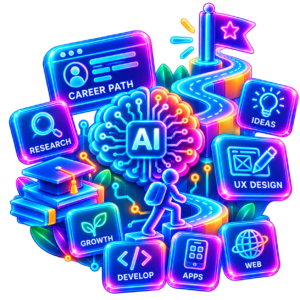
Career Path in UX Design
This is incredibly effective in other fields, as the foundation of user experience (UX) design is universal problem-solving based on empathy, data analysis, and the psychology of human behavior. The website uxdesignerslife.com perfectly illustrates this by dividing AI tools and processes into modules dedicated to different specializations.
Summary: AI Workflow Architecture
In the era of artificial intelligence, where tools change from week to week, purely technical craft skills (such as efficient drawing or fast coding) are partially taken over by automation. It is the soft and analytical skills of UX Design – such as research, making hypotheses, non-linear design and understanding psychology – that become the most important connector (the so-called human-in-the-loop) in every modern field of design.
Get A Solutions For Your Business Strategy

1. Graphic Design
- From aesthetics to usability: A traditional graphic designer focuses on composition, color, and typography. A UX designer brings functional thinking to graphic design—ensuring that the visual design not only looks good but also intuitively guides the viewer's eye and achieves a business goal (e.g., clicking on a banner).
- Using AI: The website suggests using artificial intelligence to generate alternative scenarios and layers. A designer with UX knowledge can better assess which generated graphics best meet the user's real psychological needs.

2. Full Stack Developers
- Understanding Intent Before Coding: As noted on the site, it is crucial to connect design with code using AI assistants (e.g., component generation)
- UX Advantage: A developer with a UX mentality doesn't build features just because "it can be coded." It understands information architecture and extreme user behavior scenarios (edge cases), thanks to which it creates cleaner, more logical code and avoids costly corrections at the implementation stage.

3. Architects & Digital Artists
- Human-Centered Design (HCD): Architecture is essentially “physical UX.” Knowledge about how people move in digital space translates into the design of real spaces.
- Design optimization: The website mentions generative spatial design for ergonomics. A UX designer can combine these analyses with empathy—AI will optimize technical parameters, but a human with UX experience will assess how a given environment will impact residents' well-being and emotions.

4. Video Editors & Motion Artists
- Attention and Pace Management: Videos and animations also involve interaction with the viewer in a more passive way. UX teaches us how human perception works and how long we can sustain attention.
- AI-powered selection: AI tools can automate background cutting or synchronization with music. UX competences help the creator make the final directorial decision: whether a given effect or transition facilitates the reception of the story or merely distracts the user.

5. Music Makers and Sound Designers
Music and sound are, contrary to appearances, key elements of user experience (also known as Audio UX or Sonic Branding).
An experienced UX designer brings a unique perspective to music production
* Understanding the audience's context and emotions: A UX designer doesn't create music in a vacuum—they always ask: Who is the audience? What emotional state are they in? What kind of environment are they listening to this track in? This allows them to perfectly match the dynamics and mood of a soundtrack to a specific medium (e.g., a video game, a meditation app, or an advertisement).
* Audio Attention: Information hierarchy is key in UX. In music, this translates to orchestration—knowing when a sound should be background (e.g., lo-fi music for concentration) and when it should trigger immediate action (e.g., a notification sound).
* Symbiosis with AI in music: The website mentions the automation of repetitive tasks in audio production (e.g. noise cleaning, automatic mastering, beat synchronization). The UX designer treats AI music generating algorithms as a tool for quick prototyping and testing different versions (A/B testing) of the mood before moving on to the final mix.

6. AI Specialists
For AI specialists, UX expertise is currently the most sought-after skill on the market.
The reason is simple: engineers can build powerful LLM models or neural networks, but it's the UX specialist who knows how to make them usable for humans.
* Designing Interfaces for LLM: As the title suggests, a key challenge is bridging complex technology and humans. An AI specialist with UX expertise designs what's known as Human-Centered AI, ensuring that interaction with the bot is intuitive, prompting is simple, and system responses are understandable and bias-free (UX Research/Ethical AI).
* Edge Case Testing: AI specialists often focus on the so-called "happy path" (the main, correct behavior of the algorithm). UX designers bring the ability to anticipate system errors, AI hallucinations, and user frustration, designing appropriate error messages and rescue paths.
* Prompt Engineering as a UX Process: Writing effective prompts for advanced AI models is essentially a design process. It requires empathy (understanding how the model “thinks”), precise information architecture, and iterative testing and improvement of results.
Summary:
AI Workflow Architecture
As in the previous cases, UX Design competencies constitute a powerful foundation and provide a huge advantage in the work of Music Makers and AI Specialists.
Website uxdesignerslife.com clearly demonstrates that automation and generative AI are transforming the role of the creator from “executor” to “creative director” or “system architect.”
Reason why i created this compendium
LITTLE ABOUT
Professional Support
Reason why i want to introduce you my online platform with all the necessary tools for all designers is because I was inspired by people all over the world who were sharing a lot of free pieces of advice, and tools like programs or websites, ai tools that they found out or created during their ux/ui, ai and development experience journey.
This is my biggest project because I wanted to create „all in one” for modern design culture with AI elements as a support. I filtered the best choices which will help you to develop and adapt easily. You can become a professional designer in all stages. You can run your own industry or upgrade what You already have. Also, You can make your own business road, and be more effective for your users, with tools on this website. You don’t have to be a tech expert to make it easy , fast and productive , to chart a new stable business path.
- Certified Full Stack UX Designer
- Digital AI Artist and Graphic Designer

.
Explore methods , tools, and resources to define your product.
Try to understand your users and build a solid foundation for your project.
Based On 3 Main Pillars
Best Productivity For Design

Inspect
Look closer and learn faster
- review designs, get feedback
- spot what works and what doesn't
- find hidden opportunities
- use data + user insights

Adapt
Interate, improve, evolve
- adjust based on feedback
- refine solutions
- try new approaches
- be flexible, not fixed

Transparency
Share, align, build trust
- keep the team informed
- make work visible
- open communication
- celebrate progress
1. What You need to define ?
Problem - Identify real user needs and pain points.
2. What You need to create ?
Product - shape your product and its value.
3. What You need to build ?
Strategy - Set direction and make a smart decisions.
4. Who You should inspect ?
User - Try to understand people , behaviours and context.
5. What You need to know ?
Structure - Organise information and create smooth flows.
Read Articles where technology meets creativity
Lorem ipsum dolor sit amet, consectetur adipiscing elit. Ut elit tellus, luctus nec ullamcorper mattis, pulvinar dapibus leo.